
Know what's happening on your Mac, from your apps to your AI agents.
Warto is a Mac security app that shows which app used your camera, what starts up with your Mac, and what your AI agents can reach. It explains what matters in plain language, and your data stays on your Mac.
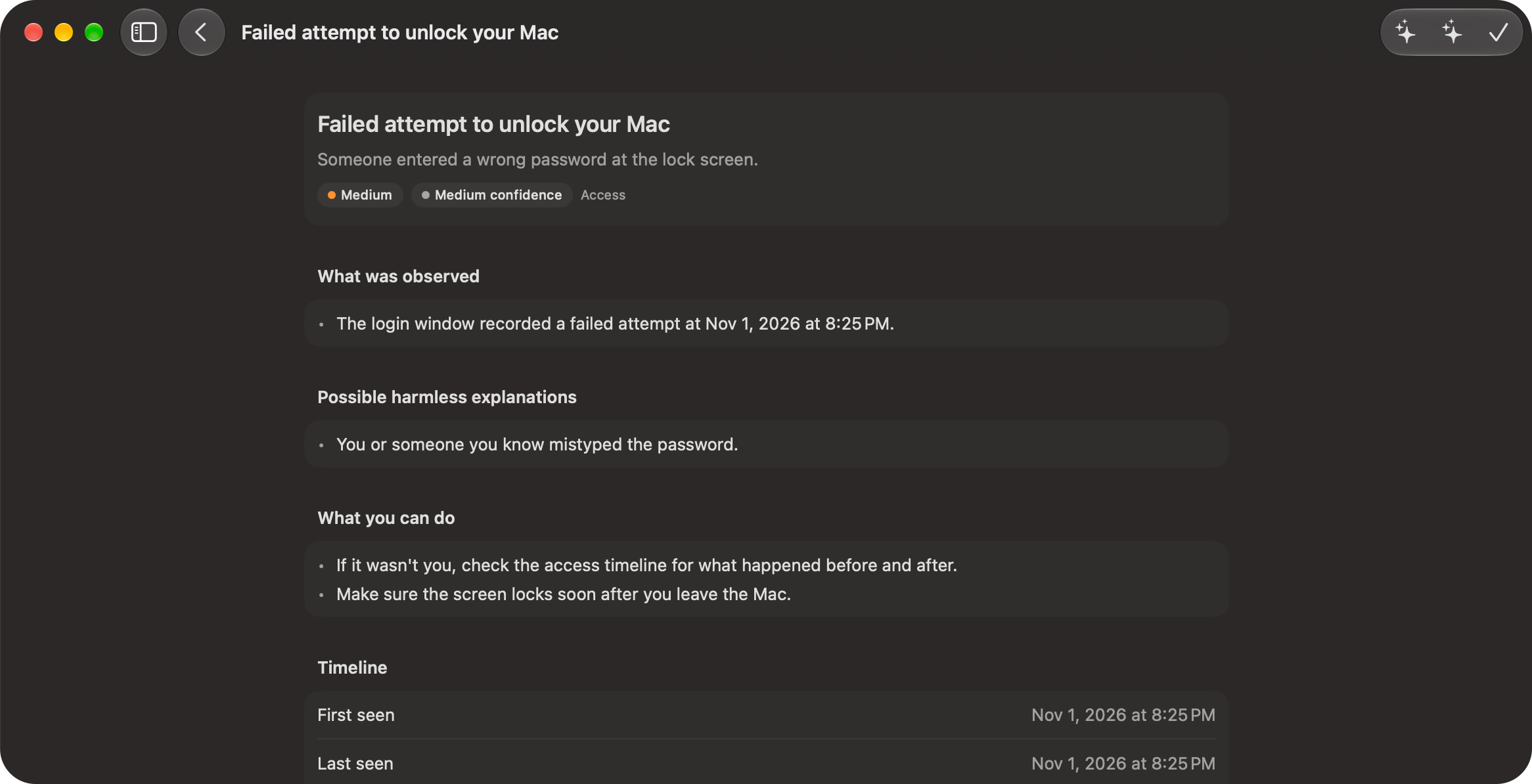
What Warto checks
- Camera, mic, and screen. See which app used them and when, for the last 90 days.
- Security settings. FileVault, firewall, Gatekeeper, System Integrity Protection, automatic updates, and automatic login, checked every hour.
- Startup items. See the launch agents and daemons that start with your Mac, and who signed them. New ones raise a finding, and you can turn one off or back on.
- Access timeline. See when your Mac was logged in to, restarted, woken, and unlocked. A failed unlock, a remote login, or another account logging in raises a finding.
- Wi-Fi, DNS, and proxy. Warto flags unencrypted or weak Wi-Fi, an unknown manual DNS server, or a proxy.
- AI agents. See what Claude Code, the Claude app, Gemini CLI, and Codex can reach. For Claude Code, Warto also keeps a history of each session you choose to watch.
Each finding gives the evidence, possible harmless reasons, and what you can do. New medium and high findings also send a notification. Network activity per app isn't available yet.
Stays on your Mac
- No account. Nothing to sign up for in the app.
- Nothing uploaded. What Warto records stays on your Mac, and its chat runs on Apple's on-device model.
- You stay in control. Warto changes something only when you ask and confirm. Every change is recorded and can be undone.
- Honest about coverage. Warto tells you what it can't see, and keeps how serious something is apart from how sure it is.
Questions
Is Warto available yet?
Not yet. Leave your email and we'll write once when it's ready.
Is Warto an antivirus?
No. Warto shows and explains what it can observe on your Mac. It doesn't scan for malware, and it doesn't replace Apple's security features.
Does Warto block anything?
No. Warto doesn't block apps or AI agents, and it sees only what macOS and the agents report. You decide what to do, and Warto shows you how.
Which AI agents does it work with?
Warto checks what Claude Code, the Claude app, Gemini CLI, and Codex can reach. Session history works with Claude Code only today.
What do I need?
A Mac with macOS 26 or later. Ask Warto, the on-device chat, needs Apple Intelligence. Everything else works without it.